
 vs
vs
SendKit vs Woodpecker (2026): Deep-Sequence Tool vs Full Outbound Stack
A workflow comparison of Woodpecker, the contacted-prospect-priced sequencer beloved by ABM teams, and SendKit, the full outbound stack built for high-mailbox-count sending. Different shapes of cold email, different right answers.

The Verdict
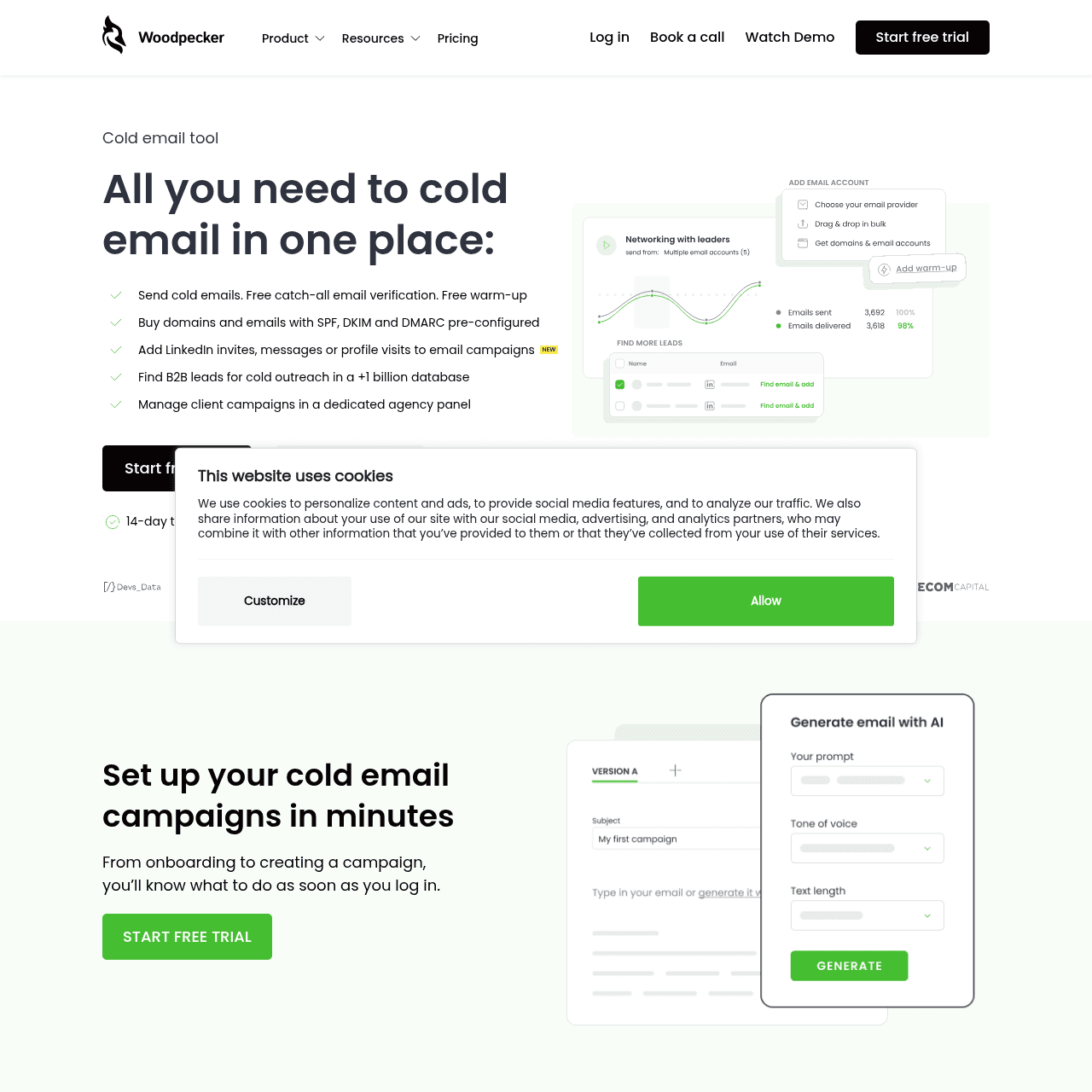
Woodpecker and SendKit fit two genuinely different shapes of outbound. Woodpecker is built around the depth of sequence per prospect: ABM motions, founder-led sales, 500-lead lists with seven thoughtful touches each. The product UX is unhurried, the conditional logic in the campaign builder is mature, and the Bounce Shield verification step before sending feels engineered for operators who care about touch quality more than volume.
SendKit is built around the breadth of a multi-mailbox sending operation: 30 mailboxes feeding a sequencer that also routes calls, manages a CRM, runs a finder, and reports to agency clients. The Woodpecker workflow is "be excellent at sequencing a small list." The SendKit workflow is "be efficient at running an entire outbound channel." Pick by the shape of the work you do, not by sticker price; for the pricing mechanics (Woodpecker bills by contacted prospects, which materially changes the math at certain volumes), see the dedicated pricing teardown.
SendKit vs Woodpecker: Feature-by-Feature
| Feature | |  Woodpecker Woodpecker |
|---|---|---|
| Infrastructure | ||
| Dedicated IPs | Every plan Dedicated IP assigned on all plans from $99/mo | No Shared infrastructure across all plans |
| Isolated Infrastructure | Yes Fully isolated sending, no shared pools or co-tenancy | No Shared sending infrastructure, no isolation option advertised |
| Email Warmup | Unlimited, AI-powered AI warmup designed to pass Gmail and Outlook detection filters | Recovery and warm-up Warm-up and recovery features included |
| Email Validation | Built-in, every plan Checks if addresses are deliverable using 10+ provider integrations. Enrich.so included with plan, or BYO API key. | Bounce shield Real-time verification to prevent bounces |
| Inbox Placement Testing | Built-in Test inbox vs spam placement before each campaign | Deliverability monitor Monitoring dashboard for tracking placement |
| Blacklist Monitoring | Built-in Real-time alerts when any sending IP hits a blacklist | No No native blacklist monitoring feature |
| Sending | ||
| Email Accounts | Unlimited Effectively unlimited under a generous fair-use policy that typical users never reach | Unlimited Unlimited email accounts on all plans |
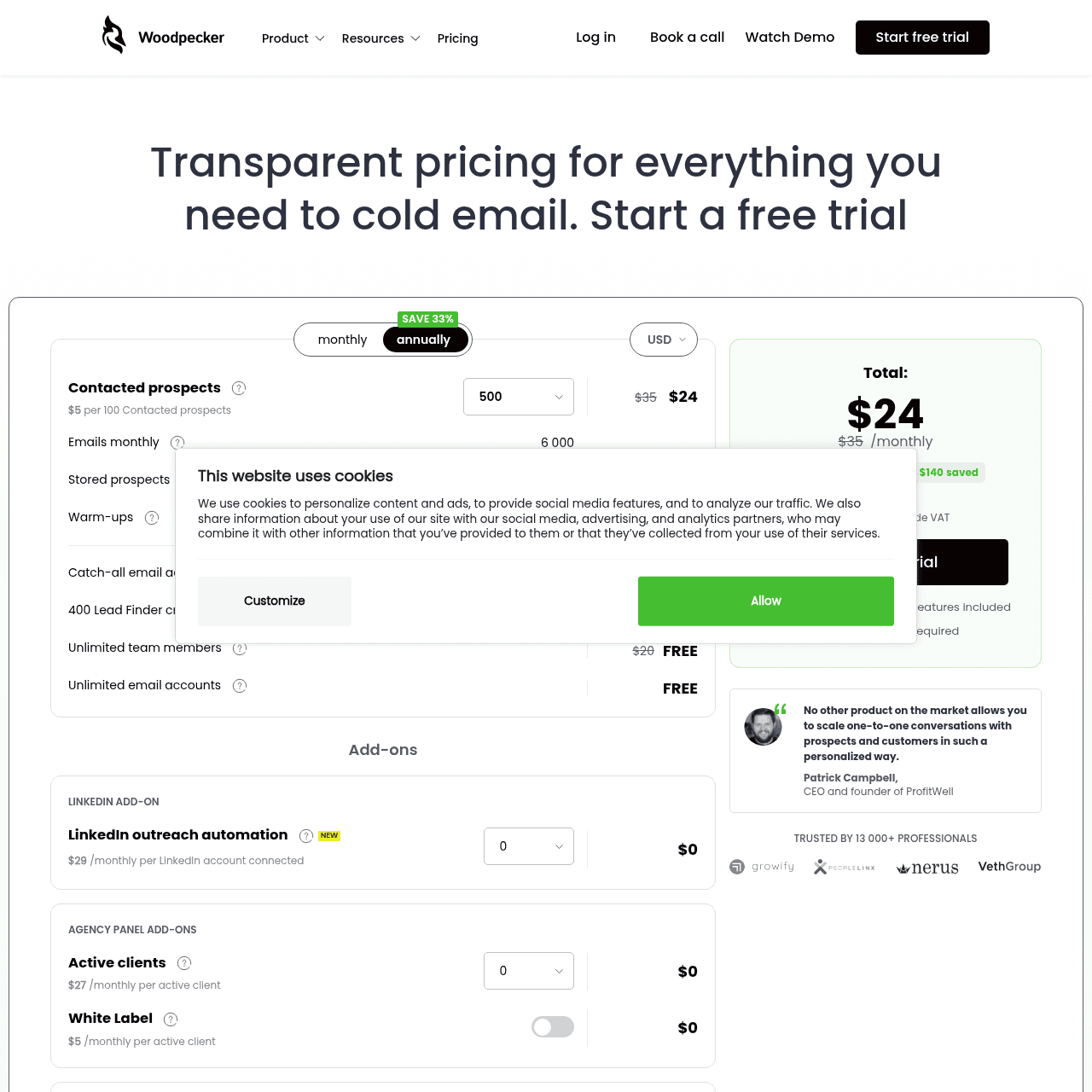
| Pricing Model | Email volume based 75K to 2.5M emails per month depending on plan | Contacted prospects Plans based on number of contacted prospects (500, 1000, etc.) |
| Features | ||
| A/B Testing | Yes A/B variant testing with conditional logic branching | Yes A/B testing included on all plans |
| Conditions and Manual Tasks | Conditional logic If/then branching in sequences | Yes Conditions and manual tasks in campaign flows |
| Built-in Dialer | Yes Native cold calling from the same platform on every plan | No No built-in calling feature |
| Lead Database | Built-in finder Lead finder included in platform | No No native lead database or prospecting tool |
| CRM | Yes Built-in pipeline CRM with deal tracking | Integrations CRM integrations via API and native connectors |
| Webhooks and API | Yes 6 event types with HMAC signature verification | API keys API access and integration keys available |
| Scale | ||
| Agency Features | From $499/mo (Pro plan) Full white-label with custom reports, dedicated account manager on Agency | Agency panel Agency features available for managing multiple clients |
| White-label | From $499/mo (Pro plan) Full white-label with custom branded reports | No No white-label option advertised |
Switch to SendKit
Dedicated IPs. Isolated infrastructure. From $99/mo.
Pricing Comparison
75,000 emails · 30,000 leads
Full stack at single price
250,000 emails · 100,000 leads
Finder credits scale up
500,000 emails · Unlimited leads
White-label included
2,500,000 emails · Unlimited leads
Account manager included
WoodpeckerDriven by prospect meter emails · 500 contacted prospects leads
Full feature set, every tier
Driven by prospect meter emails · 1,000 contacted prospects leads
Same features, doubled cap
Driven by prospect meter emails · Up to 5,000 prospects leads
Custom quote above 5K
Pricing takeaway
The pricing models measure different things, which is why a side-by-side sticker comparison can mislead. Woodpecker meters contacted prospects (one human per cycle, regardless of touches). SendKit meters sends (one email per tick). A 500-prospect, 7-touch sequence is one Woodpecker meter tick per prospect but 7 SendKit send ticks per prospect. For full mechanics including the annual prepay gap and the agency rollup behavior, see /woodpecker-pricing.
Two different shapes of outbound work
Woodpecker and SendKit serve two different outbound motions. The Woodpecker motion is "narrow list, deep sequence": a sales rep working 500 named accounts builds a sequence with seven touches, conditional branches, manual research steps, and personalized inserts. The depth of the campaign matters more than the volume.
The platform UX rewards careful work. The SendKit motion is "wide list, broad operation": an outbound team running 30 mailboxes ships campaigns across multiple ICPs, routes the responses into a unified inbox, calls the warm replies, tracks the deals, and reports the results. The breadth of the operation matters more than the depth of any single sequence.
The platform UX rewards systematized execution. Neither motion is universally correct. Founder-led sales, ABM motions, recruiting agencies, and high-ACV B2B SaaS lean toward the Woodpecker shape.
Volume-driven outbound, growth-stage SaaS, multi-client agencies, and SDR-led organizations lean toward the SendKit shape. Pick by the work you actually do.
Key takeaways
- Woodpecker rewards narrow lists with deep sequences
- SendKit rewards wide operations with systematized execution
- ABM motions and founder-led sales feel right on Woodpecker
- Volume outbound and multi-client agencies feel right on SendKit
How each campaign builder treats the operator
Woodpecker's campaign builder is the strongest expression of its philosophy. Conditional logic is mature, manual task steps slot naturally into sequences (call this prospect on day 4, send a LinkedIn touch on day 7), and the editing UX assumes the operator will iterate carefully between sends. You can spend two hours building a single sequence and the tool does not feel like it is slowing you down.
SendKit's campaign builder is engineered for repetition. Sequences are reusable templates, the variable system lets you spin up a new campaign from a list and a persona in under ten minutes, and the live campaigns dashboard is the primary view (not the editor). You can build a sequence in twenty minutes, ship it, and immediately move to the next.
The tool does not slow you down because it does not expect you to linger. This is not a quality gap, it is a tempo gap. A team running one campaign per month per rep wants the Woodpecker tempo.
A team running ten concurrent campaigns wants the SendKit tempo. Inspect your actual campaign cadence and pick accordingly.
Key takeaways
- Woodpecker builder rewards careful iteration on a single sequence
- SendKit builder rewards template reuse and high concurrent count
- Manual task steps are first-class in Woodpecker
- Live dashboard is the primary view in SendKit, not the editor
Start sending today
Set up in 15 minutes. Dedicated IPs on every plan.
Integrations and where each tool sits in your stack
Woodpecker is designed to integrate with the rest of your stack. The CRM lives elsewhere (HubSpot, Salesforce, Pipedrive). The lead data lives elsewhere (Apollo, Hunter, LinkedIn Sales Navigator).
The dialer lives elsewhere (Aircall, JustCall). Woodpecker is the email layer, and it integrates well with what surrounds it. If your team has already standardized on a CRM and a data provider, Woodpecker slots in cleanly without redundant features.
SendKit is designed to BE the rest of the stack. The CRM, the finder, the dialer, and the reply inbox are all native. The integrations exist (HubSpot, Salesforce, webhooks, API) but the product's default assumption is that you do not need them because the alternative tool is already inside SendKit.
If your team is still consolidating tools or starting fresh, SendKit collapses three or four subscriptions into one. The right question is not "which tool integrates better." It is "do I want to integrate or consolidate." Mature stacks tend to integrate; new stacks tend to consolidate. The decision often follows from how long the team has been doing outbound and how comfortable they are with their existing tooling.
Key takeaways
- Woodpecker integrates: clean handoff to your CRM, data, and dialer
- SendKit consolidates: CRM, finder, dialer, inbox all native
- Mature stacks usually prefer integration
- New stacks usually prefer consolidation
Agency fit: panel access vs white-label
Woodpecker offers an agency panel that lets one operator manage multiple client books from a single login. It is included on every tier with no upgrade. The panel works well for small agencies that bill clients for managed services but do not need to hide that Woodpecker is the underlying tool.
SendKit offers full white-label from the Pro plan upward: client-branded reports, custom subdomain access, and reporting that does not surface the SendKit name. The agency tier ($899/mo) adds a dedicated account manager and 2.5 million sends. The model fits agencies that pitch themselves as a managed outbound function rather than as a Woodpecker reseller.
The meaningful split: small agencies (3 to 8 clients) usually fit Woodpecker's panel without strain. Larger agencies (15+ clients) usually need the white-label and reporting depth that SendKit provides. The crossover sits roughly at the point where one of your client services contracts requires you to hide the underlying tool.
Key takeaways
- Woodpecker agency panel: included free at every tier, panel-based UX
- SendKit white-label: Pro tier and above, client-branded reports
- Small agencies (3-8 clients) usually fit Woodpecker panel
- Larger agencies (15+ clients) usually need SendKit white-label
Pros & Cons
SendKit
Strengths
- Whole outbound channel runs inside one product (sequences, calls, CRM, reporting)
- Tempo-optimized for teams running 10+ concurrent campaigns
- Reusable sequence templates spin up a new campaign in under ten minutes
- Multi-mailbox routing layer is native, not a bolt-on
- Migration from Instantly, Smartlead, and EmailBison happens via API key in one session
Limitations
- Operators who want to linger over a single sequence may find the UX hurried
- Time-to-first-send is longer than Woodpecker by 30-60 minutes
- No conditional logic step as deep as Woodpecker's manual task system
Woodpecker
Strengths
- Conditional logic and manual task steps are best-in-category
- Bounce Shield verification step before send is genuinely useful
- Campaign builder rewards careful, iterative work on a single sequence
- Agency panel included free at every tier
- Years of track record with stable, predictable UX
Limitations
- Wide-list outbound feels expensive because the prospect meter scales linearly with reach
- CRM, dialer, and lead data all live in other tools
- No native white-label reporting for agency clients
- Live operations dashboard is less prominent than the campaign editor
Ready to switch?
Your reputation, your control. No shared infrastructure.
Keep reading
Got questions? We've got answers.
No. The pricing models meter different things. Woodpecker meters contacted prospects (one per human per cycle). SendKit meters sends (one per email). The right question is the shape of your outbound: narrow-and-deep lists fit Woodpecker, wide-and-systematized operations fit SendKit. The pricing teardown at /woodpecker-pricing walks through the per-prospect curve in full.
Ready to hit primary?
Set up SendKit's isolated infrastructure and start sending in under 15 minutes.
Dedicated IPs on every plan. Cancel anytime.